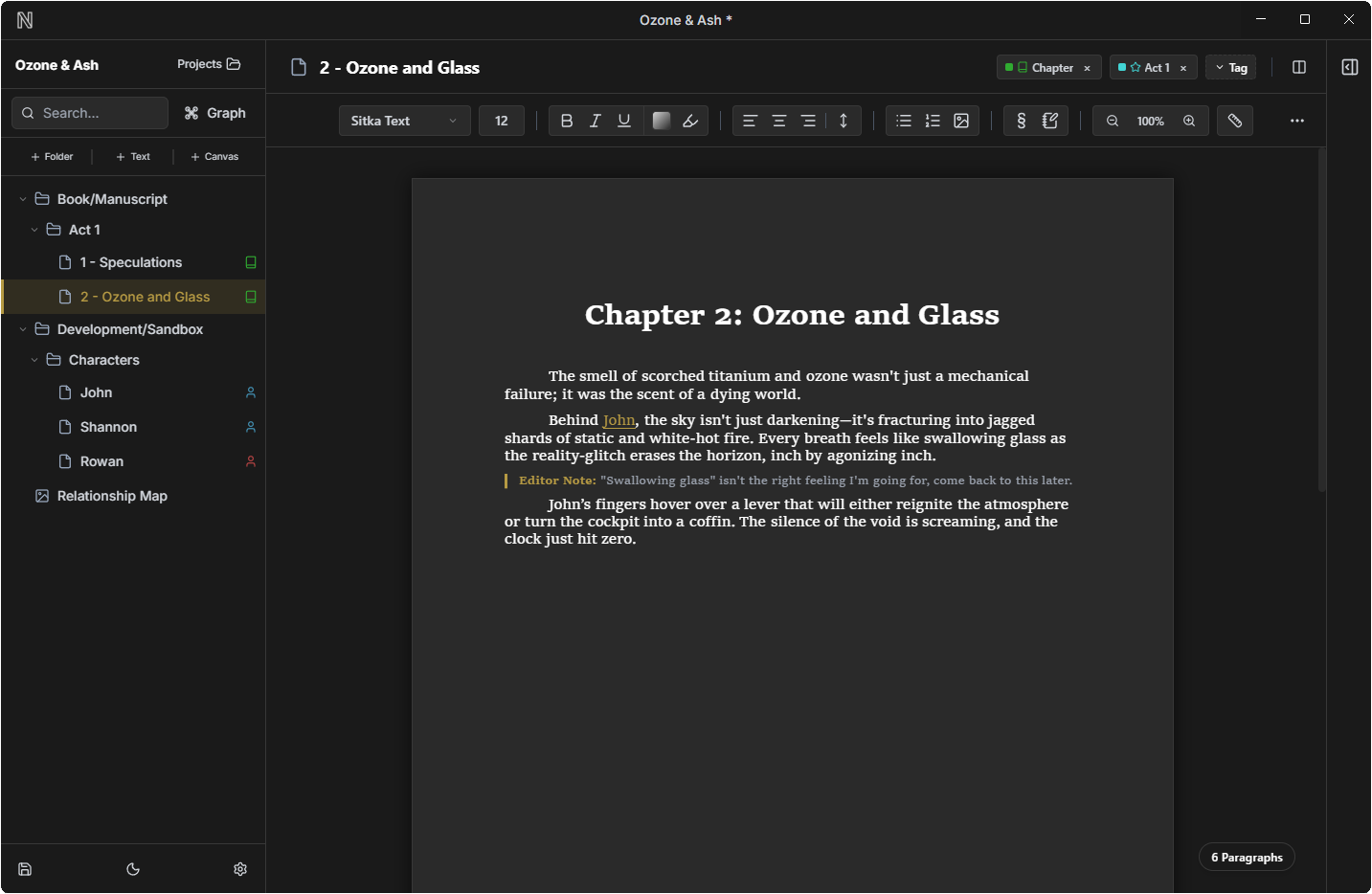
Offline-first design ensures your novels, notes, and world data are stored securely on your local device. True data ownership guaranteed.
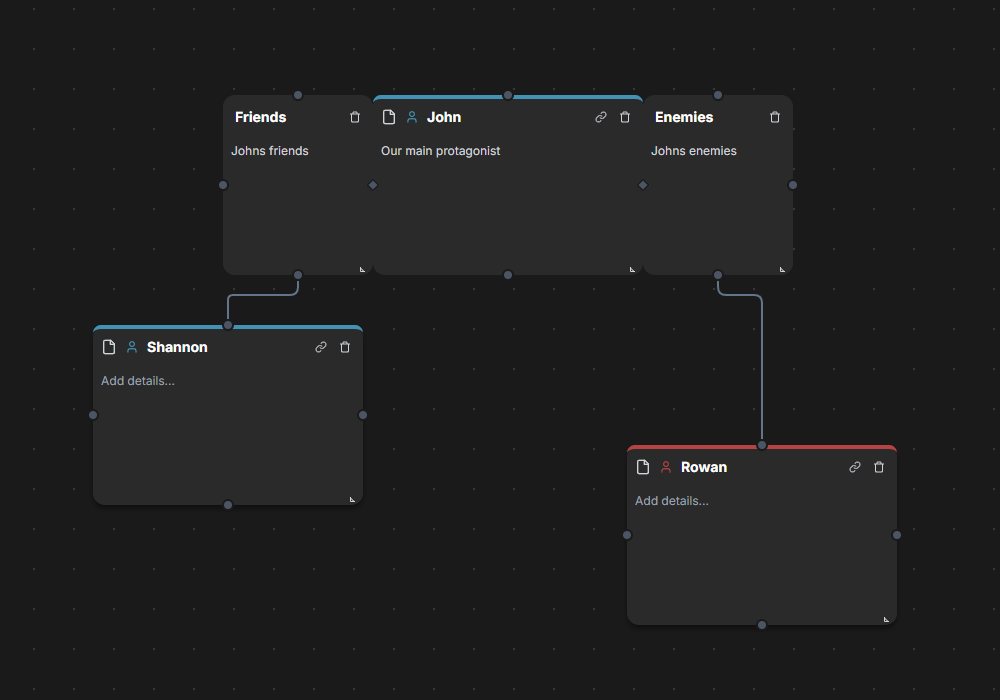
Combine the rigid structure of a file-tree for organization with the limitless freedom of an infinite canvas for plotting and connections.
Dark, Light, or Custom themes with intelligent collapsing sidebars and Novelative-only features engineered to simplify your complex projects.
Stop drawing diagrams by hand. Novelative Canvas's help you plot out your ideas on an infinite canvas.
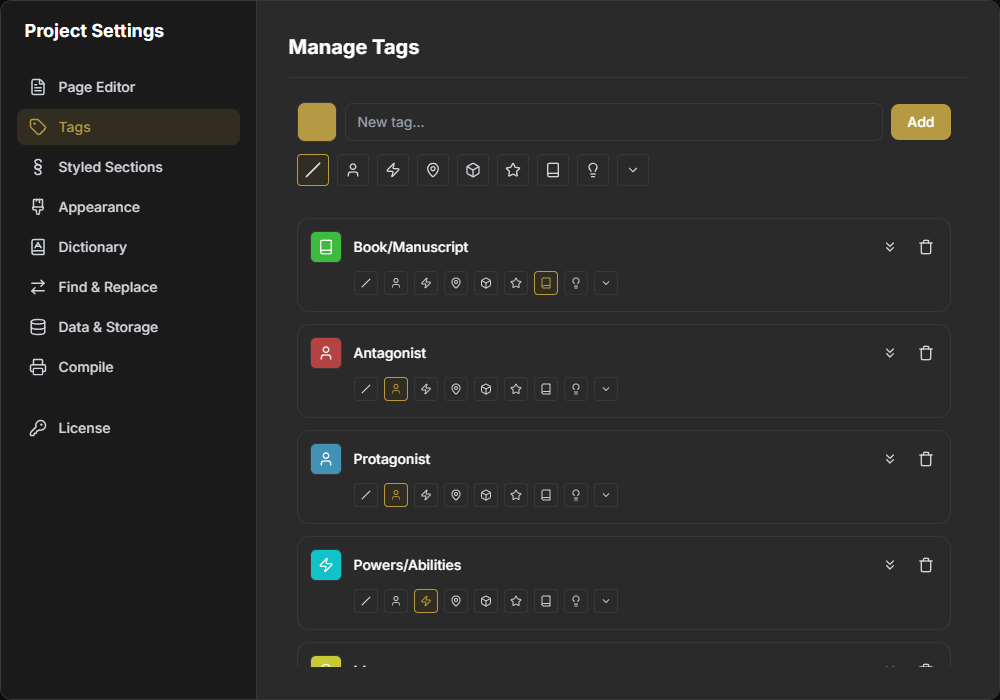
Novelative's tagging system allows you to organize your files YOUR way, integrated systems allthroughout the app make it a breeze to visualize your project in a variety of useful ways.
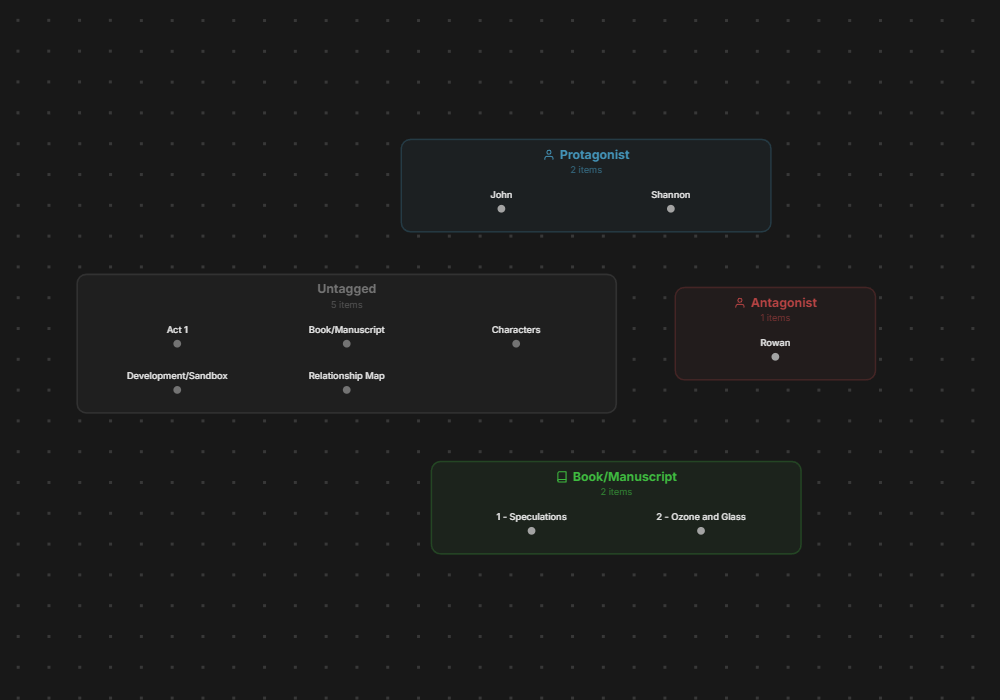
Use Novelative's Graph View to navigate and organize your files to get a view of your project.
I never planned to create an app for the public, or to ever launch anything. I was deeply into world-building, and used a professional desktop app to create and store my world. But organizing all my thoughts and ideas was a mess.
So I decided I'd make my own app—just for myself. And it worked!
It wasn't until I realized that my self-made app had solved a REAL problem. It's impossible to navigate your complex worlds with standard tools. Novelative is the answer to that problem.
Since this tool wasn't built in a corporate boardroom, it doesn't have to follow corporate rules. We build what works for us.
Cast your vote to help us prioritize the next major update.
Set project and file word/page count targets with visual progress bars and notification milestones.
Ability to pop text files and canvases out into separate desktop windows while keeping them linked.
Add visible buttons for Undo and Redo actions in the toolbar (currently shortcut only).
Thank you! Your feedback is valuable to us.
Connect with other world-builders, chat directly with the developers, and get real-time updates on our Discord server.
Download Novelative today and take control of your narrative.